


App
Crazy Monkey app - download the mobile slot
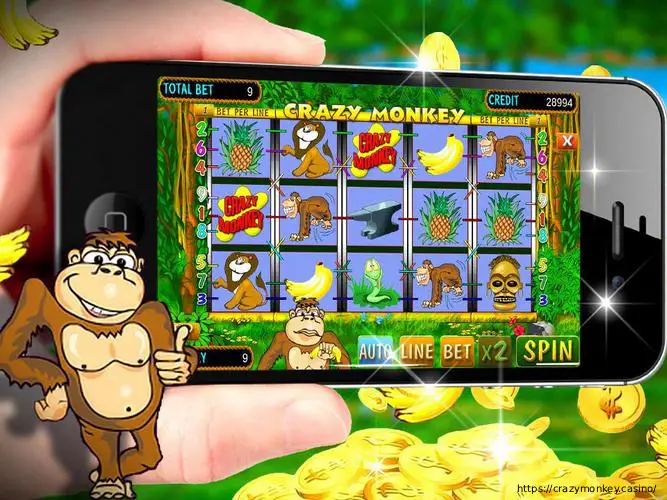
The Crazy Monkey app puts the classic Igrosoft jungle slot on your phone, with faster loading and one-tap access from your home screen. It runs the exact same game as the website – five reels, nine paylines, the pick-and-climb bonus game and the risk round – but with a layout built for touch and quick sessions on the go. You do not have to install anything to play: Crazy Monkey also opens instantly in any mobile browser. This page covers how to get the app on Android and iOS, what you need, and how it compares to playing in the browser.
Why use the app
The app and the browser share one account and balance, so nothing is lost by installing it – it simply adds a few conveniences.
- Faster access – one tap from your home screen, no typing the address each time.
- Quicker loading – lighter on data, so spins stay smooth even on a weaker connection.
- Full-screen play – a clean, touch-first layout with no browser bars in the way.
- Same account everywhere – your balance, history and limits sync across phone and desktop.
App at a glance
How to get it on Android
On Android, Crazy Monkey is installed straight from the site as an APK rather than the Play Store, which is normal for real-money gaming apps.
- Open the site on your phone and go to the App or APK section.
- Tap download to get the Android (APK) file.
- Allow the install from this source in your settings – a one-time step.
- Open and sign in through Login, and the icon stays on your home screen.
How to use it on iPhone and iPad
On iOS, Crazy Monkey runs as a web app you add to your home screen – no App Store download needed, and it opens full-screen like a native app.
- Open Crazy Monkey in Safari on your iPhone or iPad.
- Tap the Share button – the square-with-arrow icon in the toolbar.
- Choose “Add to Home Screen” and confirm.
- Launch and play full-screen, then sign in.
App or browser – which should you use?
Both options play the identical game with the same account, so the choice comes down to convenience. This table sums up the difference:
Everything you can do in the app
The app is the full Crazy Monkey experience, not a cut-down version. From your phone you can:
- Play the slot in free demo mode or for real money, with the bonus game and risk round.
- Deposit and withdraw with Visa, Mastercard, Bitcoin or USDT.
- Claim and track any welcome offers or promo codes from the Bonus page.
- Manage your account, view your history and set responsible-gaming limits.
- Sign in and out securely through Login, with your balance in sync everywhere.
Staying safe when you download
Because the Android version installs as an APK rather than through the Play Store, it is worth taking two simple precautions. First, only ever download from the official Crazy Monkey site – never from a random link or third-party store. Second, the one-time permission to “install from this source” can be switched back off after installing if you prefer. On iOS there is no download at all: you simply add the site to your home screen from Safari, so there is nothing extra to verify.
Troubleshooting installation
- Download will not open: check you allowed installs from this source in settings.
- App will not load: confirm you have a stable connection and enough free storage.
- Cannot sign in: reset your password on the login screen, or try the browser version.
- iOS icon missing: re-add it from Safari using Share, then “Add to Home Screen”.
Frequently asked questions
Quick links: APK · Play · How to Play · Bonus · Login · Casino · Responsible Gaming · Privacy Policy
18+. Play responsibly. Only download the app from the official Crazy Monkey site. GamCare · BeGambleAware · GAMSTOP.